
Onboarding First MDE Agent Using Script is helpful to understand the initial steps. This article will guide you through the steps to set up your first MDE agents using a pre-defined onboarding script.
Prerequisites
Before proceeding, ensure you have the following:
- Admin Access of security.microsoft.com portal
- Administrative access to your Windows machine.
- The necessary permissions to install software on the target machines.
Step 1: Download script and install the agent
- Login to https://security.microsoft.com/securitysettings
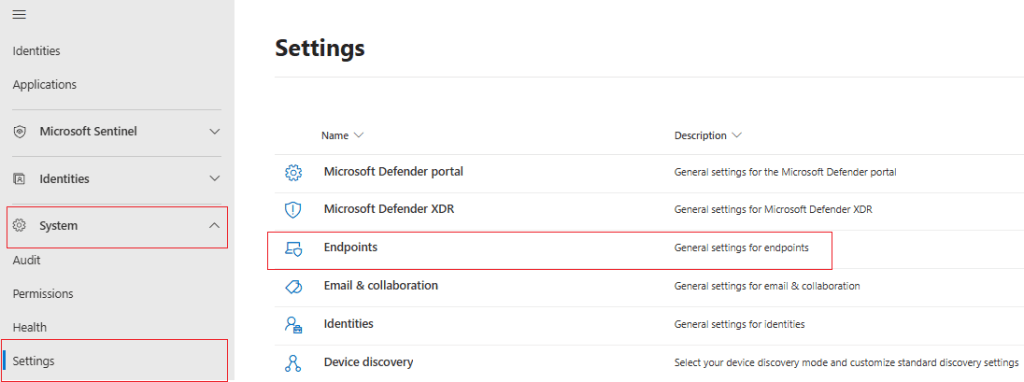
- Navigate to System > Settings > Endpoint
- Scroll down to Device Management > Onboarding and Click on “Download onboarding package”
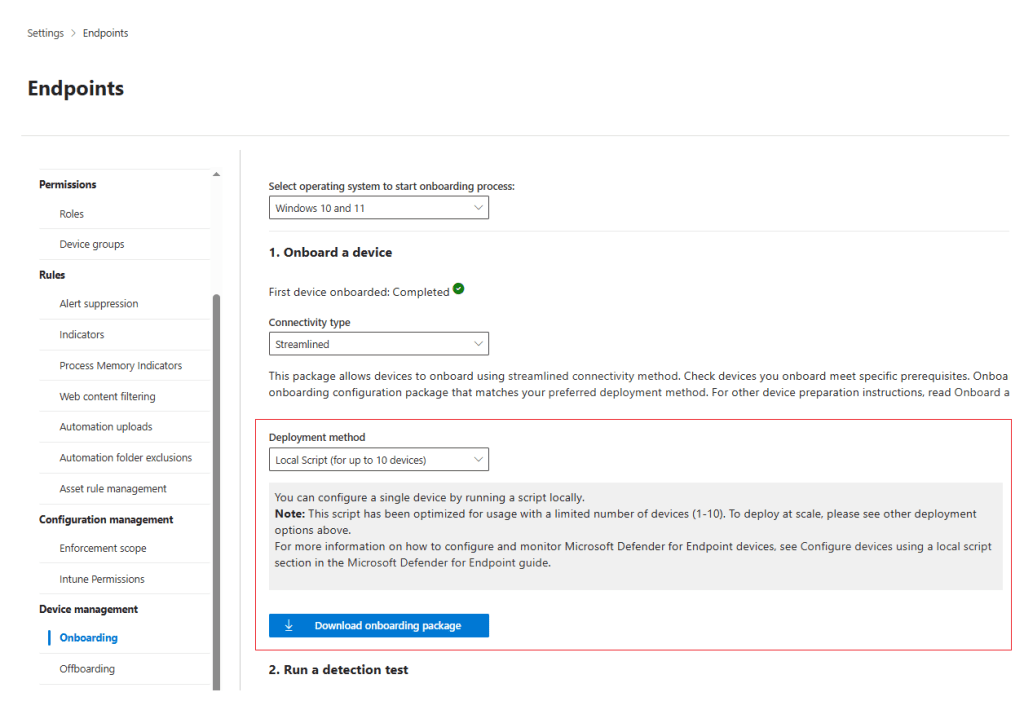
- This downloads a zip file, extract it :

- This has a cmd file named WindowsDefenderATPLocalOnboardingScript.cmd. Run this by opening a command prompt in Run-As Administrator.
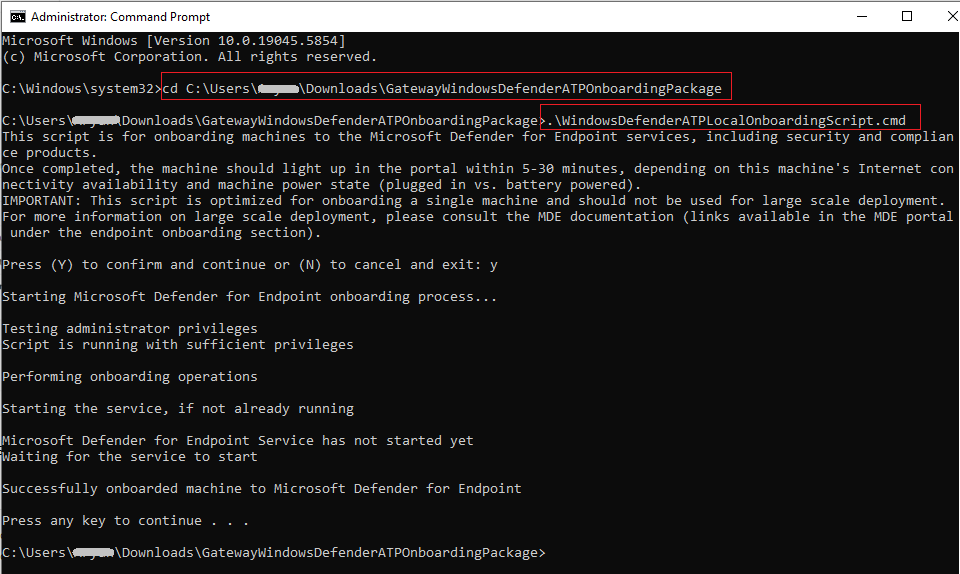
- This could take 5-10 min and then it will appear in Security Portal
- Navigate to Assets > Devices to validate the new host if it appears in the console.
- Data collection and other insight could take another a day or so to appear.

Step 2: Troubleshooting Common Issues
If you encounter issues during installation, consider the following steps:
- Firewall Settings: Ensure that your firewall is not blocking the installer or the required endpoints.
- Service : Ensure Defender service is running on the client machine
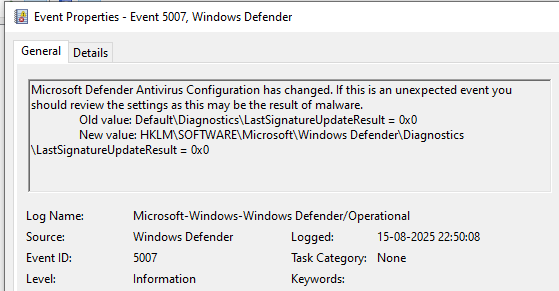
- Review Event Logs: Check the event logs for any error messages. Logs are typically found in:
Microsoft-Windows-Windows Defender/Operational
Thank you for reading this article, For more detailed information, refer to the official Microsoft Defender for Endpoint documentation.
 Learn Tech Future